Free · Private · No upload
Vector design, free in your browser
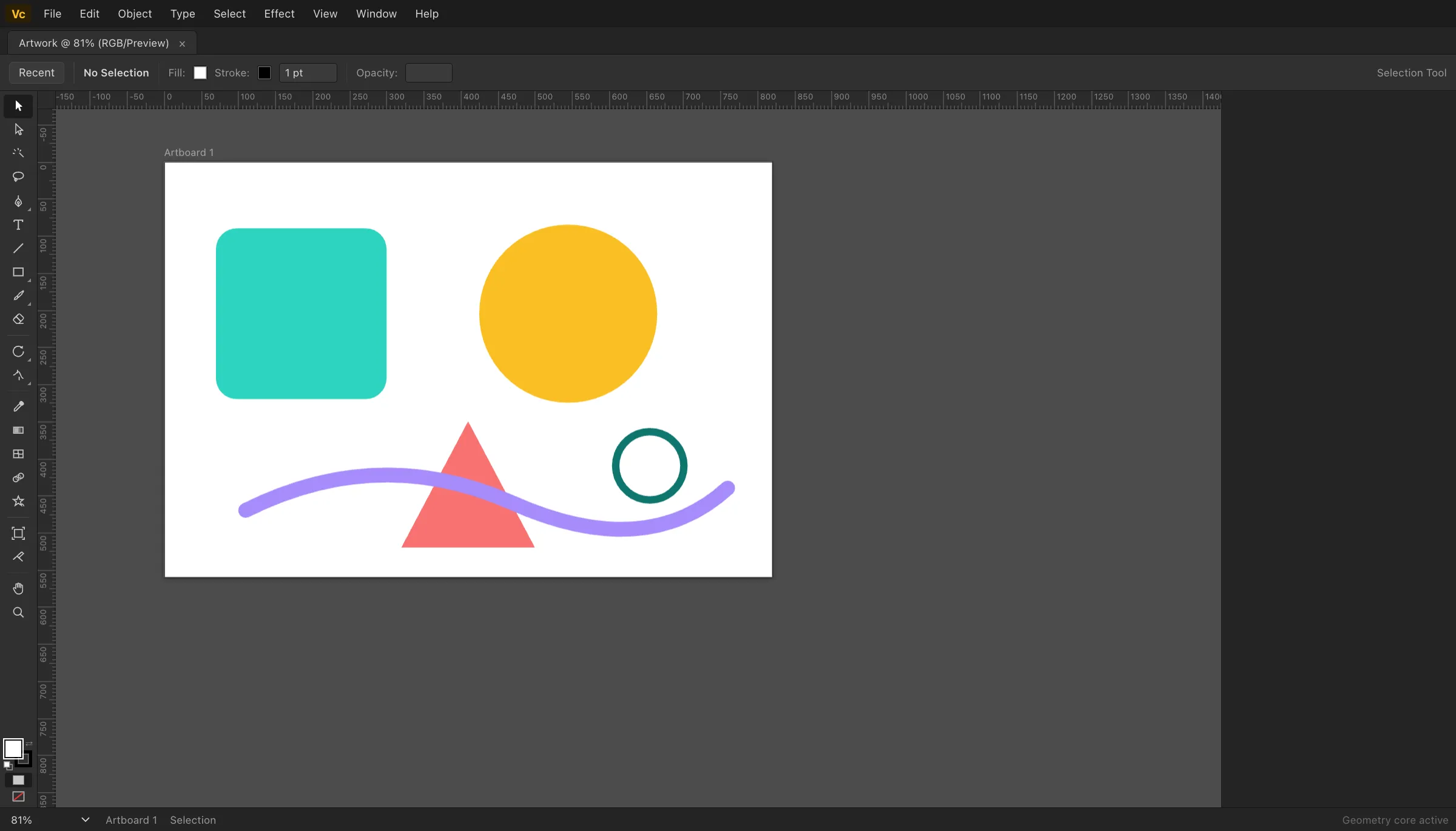
Pen tool, Pathfinder booleans, layers, smart guides and SVG import/export — a professional vector workflow, running entirely in your browser.
Runs in your browser — a free, web-based alternative to Adobe Illustrator.
No upload
Files are processed on your device
No sign-up
No accounts, no email, no paywall
No limits
Any file size, any batch size
Metadata stripped
EXIF & GPS removed on export
Design vector graphics in your browser with an Illustrator-style editor: pen tool, Pathfinder boolean operations, layers, smart guides, and SVG import/export — powered by a native-speed geometry engine. Free, no sign-up, and your artwork never leaves your device.
Everything you need, nothing to install
How it works
The editor is a full application compiled to run in your browser. When you open it, your browser downloads the editor and its processing core once, caches them, and from then on every operation — opening files, editing, exporting — happens on your own device. Nothing you work on is uploaded, which is also why there are no accounts, queues or file-size pricing tiers.
Curious about the details? Read how EditItAll works, or just open the editor — it loads in seconds.
Guides · Adobe Illustrator alternative
Frequently asked questions
Is the vector editor free to use?+
Yes. It is completely free — no account, no sign-up, no watermark and no usage limit. Open the editor and start drawing.
Do my files get uploaded anywhere?+
No. Everything runs locally in your browser. Documents are auto-saved to your browser storage and exported files are generated on your device. No artwork, file or personal data is ever sent to a server.
Which file formats are supported?+
You can open SVG, compressed SVGZ, ASCII DXF, and PDF-compatible Illustrator .ai / EPS / PDF (paths and text). Save as SVG and export PNG at 2×. Old binary .ai without a PDF stream, true PostScript EPS, and AutoCAD DWG are not supported — export SVG, DXF or a PDF-compatible .ai instead.
How do the Pathfinder boolean operations work?+
Unite, Minus Front, Intersect and Exclude run in a native-speed geometry kernel inside your browser. It builds a planar map of your paths with exact integer arithmetic, classifies every edge by winding number, and refits smooth bezier curves to the result — the same planar-map architecture professional desktop vector tools use.
Which tools are included?+
Selection and Direct Selection, Pen with full bezier handle editing, Type, Rectangle, Ellipse, Polygon, Star, Line, Pencil with automatic curve fitting, Eyedropper, Rotate, Scale, Hand and Zoom — plus layers, swatches, stroke options, alignment, smart guides, rulers with draggable guides, and an outline view mode.
Does it support Adobe Illustrator keyboard shortcuts?+
The standard shortcuts work the way you expect: V, A, P, T, M, L for tools, Cmd/Ctrl+Z to undo, Cmd/Ctrl+C/V to copy and paste, Cmd/Ctrl+G to group, Cmd/Ctrl+0 to fit the artboard, Space to pan, Alt-drag to duplicate, Shift to constrain, and many more. It is an independent product, not affiliated with Adobe.
Which browsers are supported?+
Any modern desktop browser: Chrome, Edge, Firefox, Safari and other Chromium-based browsers. A desktop-class screen is recommended since the interface mirrors a professional design tool.